In Brevo, who can buy an add-on or change the plan?
 Jean RubensUpdated August 20268 min read
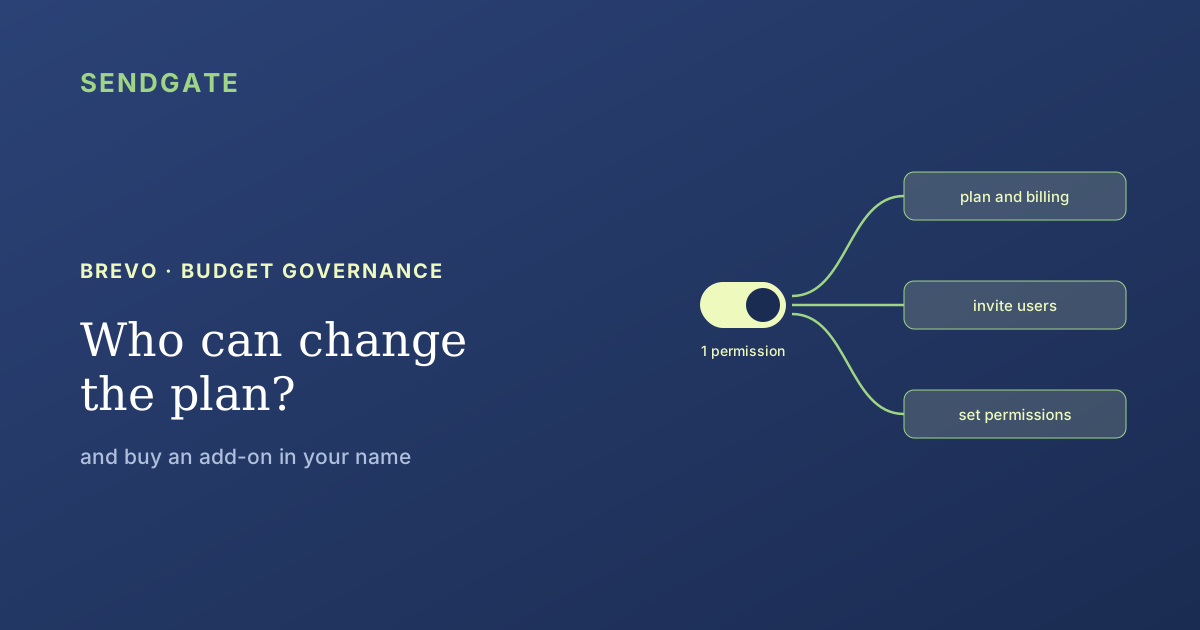
The account owner, plus anyone the owner grants the permission to manage the plan, billing and payment information. That permission is the only key to the "My plan" page, where plan changes and add-on purchases happen. The part that matters: it also carries the right to invite users and set their permissions. So you can't delegate the budget without delegating access control.
The question rarely comes up before the invoice does. An add-on appears, a plan has moved up a tier, and nobody can say who clicked. On an account shared between several teams, that's a budget governance question before it's an accounting one.
Brevo has a clear answer, but you have to read it across three separate help pages. And the detail that matters isn't who can pay: it's what the permission to pay drags along with it.
Key takeaways
- Two profiles only: the account owner, and holders of the "manage plan, billing and payment information" permission (Brevo).
- The permission is bundled: it also unlocks inviting users and customizing their permissions.
- Removal stays with the owner. A delegate can add users; they cannot remove any.
- None of it is visible through the API: Brevo's permission enum covers 16 feature areas, and billing is not one of them (Brevo, API).
Who can change the plan or buy an add-on?
Two profiles. The account owner, who holds full administrative control, and any user the owner has granted the permission to manage the plan, billing and payment information (Brevo, Add users and assign permissions in Brevo). Nobody else reaches the "My plan" page.
That page is the single choke point. Plan changes, add-on purchases, bank detail edits and invoice downloads all start there. Brevo locks all four behind the same permission (Brevo, Change your billing and bank details).
Put differently, "who can buy an add-on?" and "who can see our invoices?" have the same answer. There is no read-only finance right separate from the right to spend.
One permission, three powers
The billing permission is not a standalone switch. Brevo states that a user holding it will also be able to invite additional users, cancel an invitation and customize user permissions (Brevo, Add users and assign permissions in Brevo). Three powers, one setting.
That's the consequence nobody flags. You hand the company card to your ops lead, and in the same motion you hand them the ability to bring people into the account and decide what they can do inside it. Budget and access control are welded together.
For what Brevo permissions do cover on the sending side, and what they leave open, see our article on Brevo permissions and sending to your whole list.
What a delegate can do, and what they can't undo
Delegation doesn't come back symmetrically. A user with user-management rights can add users, but only the owner can remove them (Stitchflow, Brevo user management). And the owner role itself can't be transferred without going through Brevo support.
That asymmetry matters when somebody leaves. Whoever held the budget could bring colleagues in and set their rights; undoing that work means going back through the owner, user by user, setting by setting. No screen shows who granted what.
Several widely cited user-management guides state that billing isn't delegable and stays with the owner alone. Brevo's own help pages say the opposite: the permission exists and can be granted. Audit your account from an external guide and you may conclude nobody else can spend, when the box may well be ticked.
What can you buy from the My plan page?
Add-ons are bought in the same place, so under the same permission. Brevo offers a dedicated IP, additional contacts, user seats, push subscribers and SAML SSO among others, with availability depending on your tier (Brevo, Customize your plan with add-ons).
| Add-on | Availability by tier |
|---|---|
| Dedicated IP | Add-on on Professional and Enterprise; one IP included by default on Enterprise |
| Additional contacts | Purchasable on Professional and Enterprise |
| User seats | Paid add-on; the number included depends on the plan |
| Push subscribers | Purchasable as additional volume |
| SAML SSO | Add-on on Professional, included on Enterprise |
Source: Brevo, Customize your plan with add-ons. Prices are deliberately not quoted: they vary by currency and tier, and third-party comparisons contradict each other. Check your own My plan page.
Note that multi-user access already requires a paid plan: the free plan lets you invite nobody. Granular permission toggles for restricted users only appear from the Business tier up. On cheaper paid plans, the choice stays coarse.
Why can't you audit this permission through the API?
Because it isn't there. Brevo's endpoint for editing user permissions enumerates 16 feature areas, from email campaigns to SMTP keys to user management, and none of them covers billing or the plan (Brevo, Update permission for a user).
Our Brevo connector reads the account with an API key: senders, lists, subscribers, campaign statistics, rate-limit status. We found no endpoint for the plan, the add-ons or billing, and no billing permission to read or write.
The consequence is concrete: this permission can't be inventoried, revoked or monitored by tooling. You check it by eye, in the interface, one user after another. It's the only Brevo permission in that position, and it's the one that commits money.
How do you keep control of the spend?
You offset a bundled setting with explicit discipline. Since the billing permission carries access control and no tool inventories it, the only protection is knowing at all times who holds it. Three moves are enough, and none of them requires changing plan.
List the holders, by hand
Open the users page and note who holds the manage-plan permission. It's the only inventory available, so it needs to live somewhere outside Brevo.
Treat it as an admin right, not a finance right
It grants access to users and their permissions. Give it to whoever you'd trust with administering the account, not to whoever merely handles invoices.
Separate composing sends from running the account
Teams that produce campaigns need neither the My plan page nor user management. Route their work through a layer that gives them a scope without touching account settings.
The third one is what holds up over time, because it shrinks the number of people who need direct account access. For the wider frame see our guide to Brevo multi-team governance, and for the tiers that unlock compartmentalization, our article on sub-accounts reserved for the Enterprise plan.
Fewer people in the account, fewer people near the buy button.
Sendgate sits on top of your existing Brevo account, with no migration. Teams compose and send from Sendgate, using only the lists and senders assigned to them, with no direct access to the Brevo account or its My plan page. The billing permission stays with the people who run the account. Brevo and Mailchimp are supported today.
Try it free →Email sending governance · Not affiliated with the brands mentioned
The takeaway
Two profiles can change the plan or buy an add-on in Brevo: the owner, and holders of the permission to manage the plan, billing and payment information. The My plan page is the single route, and it also governs bank details and invoices.
That permission is bundled: it unlocks inviting users and setting their permissions. Removing a user, though, stays with the owner. And none of it surfaces in the API, whose permission enum covers 16 areas without billing. So keep your own list of holders, and reduce how many people need to get into the account at all.
Frequently asked questions
Can a Brevo user change the plan without being the owner?
Does that permission grant any other rights?
Who can see the invoices and billing history?
Can this permission be audited through the Brevo API?
Can a delegate remove a user they invited?
Sources
- Brevo, Add users and assign permissions in Brevo, retrieved 2026-08-01. help.brevo.com
- Brevo, User permissions in Brevo, retrieved 2026-08-01. help.brevo.com
- Brevo, Change your billing and bank details, retrieved 2026-08-01. help.brevo.com
- Brevo, View and download your invoices, retrieved 2026-08-01. help.brevo.com
- Brevo, Upgrade to a higher plan, retrieved 2026-08-01. help.brevo.com
- Brevo, Customize your plan with add-ons, retrieved 2026-08-01. help.brevo.com
- Brevo, Update permission for a user (API reference), retrieved 2026-08-01. developers.brevo.com
- Stitchflow, Brevo user management guide, retrieved 2026-08-01. stitchflow.com
Permissions and add-ons verified on 1 August 2026. Brevo changes its tiers regularly: re-check your own My plan page before deciding anything. No amounts are quoted here, since prices vary by currency and tier.
Jean Rubens
Co-founder, Sendgate
Jean is a co-founder of Sendgate. He writes about multi-team email governance: send visibility, list compartmentalization and deliverability across shared sending accounts.