Mailchimp roles and permissions explained (and their limits)
 Jean RubensUpdated July 20269 min read
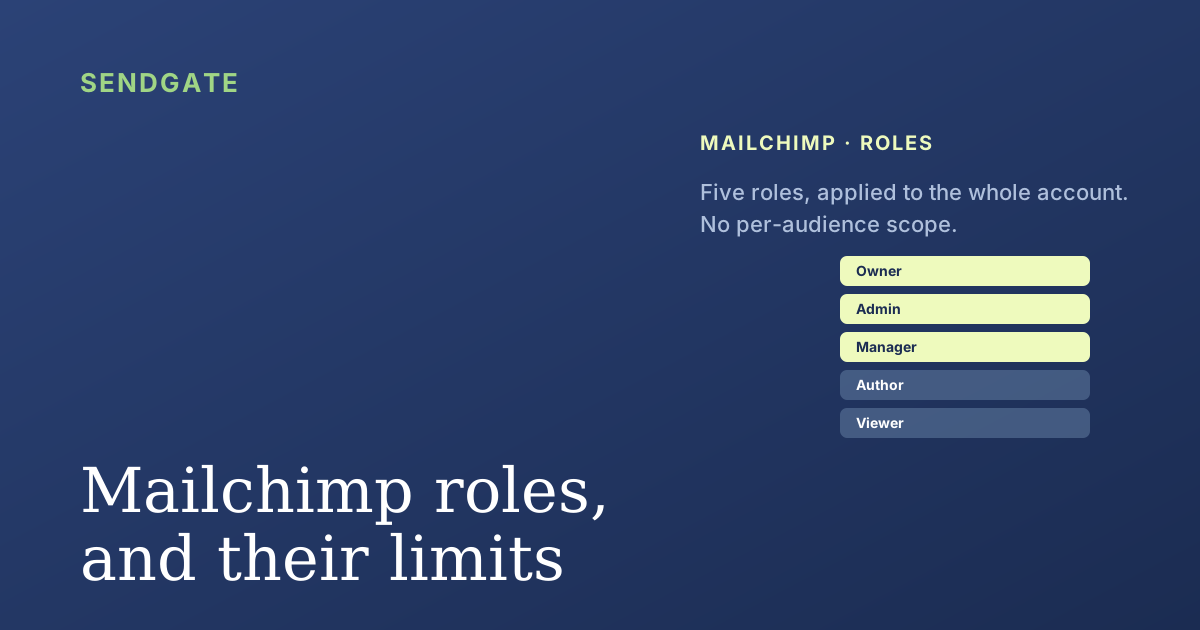
Mailchimp has five user roles: Owner, Admin, Manager, Author and Viewer. They are enough to split up the work, but two limits matter as soon as several teams share one account. Roles apply to the whole account, with no per-audience scope, and nothing validates a send before it goes out. This article details what each role can do, then how to close those gaps.
You invite a teammate to Mailchimp, and the interface asks you to pick a user level. Five options, one decision, and real consequences for who can touch your contacts and press Send.
These five roles cover most needs, up to a point. Let's look at what each role allows exactly, then the two limits that weigh most when a team grows around one account.
Key takeaways
- Mailchimp has 5 roles: Owner, Admin, Manager, Author, Viewer, with availability depending on the plan (Mailchimp, 2026).
- Only Owner, Admin and Manager can send. The Author creates and edits, but has no Send button.
- Roles are account-wide: none can be scoped to specific audiences or lists.
- Nearly 6 in 10 data breaches involve a human element (Verizon, 2025), which is why least-privilege matters.
What are the 5 Mailchimp roles, and what does each do?
Mailchimp has five user levels, from broadest to most restricted: Owner, Admin, Manager, Author and Viewer (Mailchimp, Manage user levels in your account, 2026). Each opens a fixed set of rights, applied across the whole account.
The Owner and Admin have, in practice, the same rights: managing users, billing, audiences and sends. The difference is status: there is only one Owner, the account's primary contact, and ownership is transferred explicitly.
The Manager, available on the Premium plan, can create, send and view reports, and import contacts, but manages neither users nor billing. The Author creates, edits and deletes emails and templates, and views reports, but cannot send: a builder without a Send button. The Viewer only views reports.
Mailchimp's real control point comes down to one row of the table: can send, or cannot. Three roles send, two do not. Everything else turns on that line, and the Author is the most useful role for letting someone prepare a campaign without risking an early send.
Where do Mailchimp permissions stop?
At two places that matter for teams. Mailchimp roles apply to the whole account: no setting restricts a user to specific audiences. And nothing validates a send before it goes out. Nearly six in ten data breaches involve a human element (Verizon, Data Breach Investigations Report, 2025), which argues for granting only what is strictly needed.
In the shared Mailchimp accounts we review, two needs keep coming up with no native answer: reserving an audience for the team that owns it, and getting a sensitive campaign approved before it goes out. The five roles cover neither.
Moving to Premium unlocks the finer Manager role, but the logic stays the same: roles cover the whole account. On the collaboration side, Mailchimp offers co-editing and comments on a campaign, with no mandatory approval step before sending. Two-factor authentication, on the other hand, can be enforced for all users, which is a good practice to turn on. For the detail on per-audience scope, see our dedicated article: can you restrict a Mailchimp user to specific audiences.
How do you go beyond the native roles?
By applying least-privilege, then adding what the roles do not cover. Everyone should have only the role their work requires, and scope and approval are handled on top of the account. Four moves take back control.
Grant sending only where needed
Reserve Owner, Admin and Manager for people who must send. For those who prepare without sending, the Author role is built for it.
Enforce two-factor authentication
Turn on mandatory 2FA for every user on the account. It is native and it protects each login, whatever the role.
Add a per-audience scope
Define who can touch which audience, which the native roles do not allow. This needs a governance layer placed on the account.
Add approval before sending
A member prepares, a manager approves before it goes out. It is the safety net Mailchimp's co-editing lacks.
The first two moves are native. The next two need a layer on top of Mailchimp, detailed in our guide to multi-team Mailchimp governance. The same question comes up on every major platform: permissions are set by feature, never by audience.
Per-audience scope and approval before sending, Sendgate adds them to Mailchimp.
Sendgate sits on top of your existing Mailchimp account, with no migration. Each team only reaches its own audiences, sends go through an approval step before they leave, and you keep the five roles for everything else. You finally decide who touches which audiences.
Try it free →Email sending governance · Not affiliated with the brands mentioned
The takeaway
Mailchimp's five roles split up the work well, around a single control point: can send, or cannot. Owner, Admin and Manager send; Author and Viewer do not. It is simple, but deliberately coarse.
Two limits show up for teams: roles cover the whole account, with no per-audience scope, and none validates a send before it goes out. Least-privilege and 2FA help natively; per-audience scope and approval need a governance layer on top of the account.
Frequently asked questions
How many user roles does Mailchimp have?
Which Mailchimp roles can send a campaign?
Can you scope a Mailchimp role to specific audiences?
Does Mailchimp have an approval-before-send workflow?
Sources
- Mailchimp, Manage User Levels in Your Account, retrieved 2026-07-05. mailchimp.com
- Mailchimp, Collaborate on Emails, retrieved 2026-07-05. mailchimp.com
- Verizon, 2025 Data Breach Investigations Report, retrieved 2026-07-05. verizon.com
- Mailchimp, Set Account Security Options (2FA), retrieved 2026-07-05. mailchimp.com
Jean Rubens
Co-founder, Sendgate
Jean is a co-founder of Sendgate. He writes about email sending governance for teams: access compartmentalization, per-audience scope and approval before sending across shared sending accounts.