Does Mailchimp have an approval workflow before sending?
 Jean RubensUpdated August 20268 min read
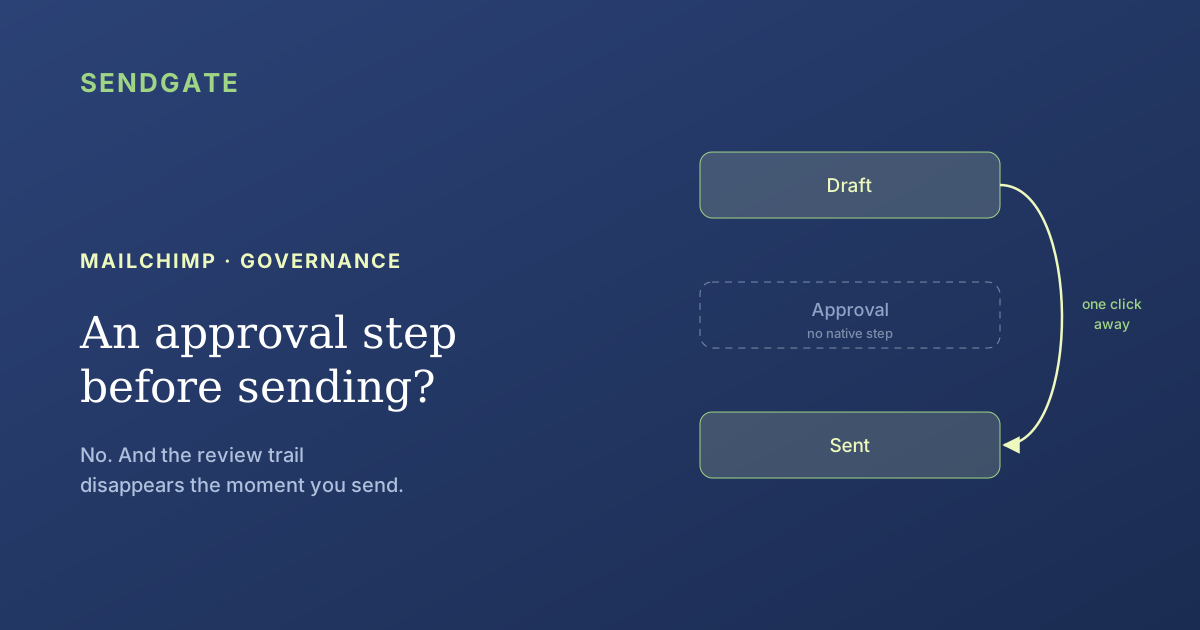
No. Mailchimp has co-editing, comments and test sends, but nothing that holds a campaign until a manager signs off. The closest thing is the Author role, which builds without being able to send: it needs a Standard or Premium plan, and it comes with no review request. More awkward still, review comments exist only on drafts.
The question always comes up after an incident. A campaign went out too early, with the wrong subject line or to the wrong audience, and somebody asks how you stop that happening again.
The answer is one word, but it's worth unpacking. Mailchimp offers several things that look like an approval step, and none of them is one.
Key takeaways
- No native approval circuit. Nothing stops an authorised user from sending, at any point.
- The Author role comes closest: it creates, edits and deletes emails and templates, without sending (Mailchimp). But it needs Standard or Premium.
- The review trail is erased: comments appear only on drafts, never on sent emails.
- 3 of the 5 levels can send: Owner, Admin and Manager. Author and Viewer cannot.
Does Mailchimp have an approval step before sending?
No. The help page describing the five user levels mentions no approval, review or sign-off requirement before sending (Mailchimp, Manage User Levels in Your Account). A user who has the right to send sends, whenever they like.
Two things get confused here. The right to send is a permission: you have it or you don't. An approval is a circuit: you prepare, you ask, somebody grants or refuses, and the send waits for that answer.
Mailchimp handles the permission. It doesn't handle the circuit. That's the whole difference between restricting who can send and controlling what goes out.
That distinction shapes the entire subject of shared accounts. We take it apart in our guide to Mailchimp governance for teams.
What does Mailchimp give you instead?
Collaboration, not control. The email builder supports co-editing, shows which users are working on the email, auto-saves every twenty seconds, and carries a comments panel with replies and resolved threads (Mailchimp, Collaborate on Emails).
It's more complete than people assume. You can send a test email and ask for feedback: replies from test recipients land in the comments tab. You can even pick which account users get notified whenever a new comment is added.
None of it holds a send back. The discussion happens beside the send button, never in front of it. A reviewer can leave a comment saying "wait, don't send" and find out a minute later that the campaign already went.
For what each level actually covers, see our piece on Mailchimp roles and permissions and their limits.
Is the Author role an approval step in disguise?
It's the closest thing, and it isn't enough. Mailchimp describes the Author as able to "create, edit, and delete emails and templates, and view reports" (Mailchimp, Manage User Levels in Your Account). Sending isn't in that list.
On paper, separation of duties is there. An Author prepares, a Manager or an Admin sends. In practice, three things are missing before that setup earns the name of a circuit.
There's no request
An Author finishes their campaign, and nothing happens. No submit button, no queue, no visible change of state. Somebody has to be told, outside the tool.
There's no refusal
A reviewer who disagrees has nothing to click. They comment, or they edit it themselves. The back and forth between writer and approver has no support in the product.
The role isn't contextual
Author applies to the whole account, not to an audience. An Author can prepare a campaign against any audience, including ones that have nothing to do with them.
In the shared Mailchimp accounts we look at, the Author setup gets put in place and then comes apart. The reason is always the same: the approver becomes a bottleneck, and since nothing alerts them, they get chased by message. After a few weeks somebody promotes the Author to Manager "just for this campaign".
Nobody ever changes that role back. That's how an account ends up with six people who can email everyone.
The costly flaw: the review trail is erased on send
Mailchimp puts it bluntly: comments "appear only on email drafts and do not appear on sent emails" (Mailchimp, Collaborate on Emails). The review discussion is therefore deleted by the very act of sending.
Take the measure of that. While the campaign is a draft, the review is visible but carries no stakes. The moment the campaign goes out it becomes the subject of a possible question, and that is precisely when the comment thread disappears. The evidence evaporates as it becomes useful.
The consequence is easy to state. If you ever have to show that a sensitive campaign was reviewed, the comments tab won't help you. You need a capture before the send, or a record kept somewhere else.
Why does the plan tier invert the need?
Because separation of duties is reserved for the higher plans. Manager requires Premium, while Author and Viewer require Standard or Premium (Mailchimp, Manage User Levels in Your Account). Owner is available on any plan, and Owner sends.
| Level | Can send | Plans that include it |
|---|---|---|
| Owner | Yes | Any plan |
| Admin | Yes | Essentials, Standard, Premium |
| Manager | Yes | Premium |
| Author | No | Standard, Premium |
| Viewer | No | Standard, Premium |
Source: Mailchimp, Manage User Levels in Your Account, retrieved 2026-08-01. The only two levels that cannot send are also the two that require a higher paid plan.
Read that third column backwards. On the free plan there's one level, Owner, and it sends. Essentials adds Admin, which also sends. The first level that cannot send only appears at Standard.
So the organisations with the least budget are also the ones that can't separate preparing from sending. Risk is highest exactly where the guardrail is missing.
The same tier effect governs user counts and audience partitioning. We put numbers on those ceilings in our piece on the four setups for running multiple teams on Mailchimp.
Three homemade workarounds, and where each one gives way
Teams invent stopgaps, all adopted for want of anything better. None survives an organisation that grows, and each fails for a different reason. Here are the three we meet most often, with their breaking point.
| The workaround | What it gives | Where it gives way |
|---|---|---|
| The shared password | One person holds the account and sends on everyone's behalf | No individual traceability, and that person goes on holiday |
| The distant schedule | The campaign is scheduled far ahead, leaving time to cancel | Somebody has to remember to check before the deadline |
| The test to the whole team | A test send doubles as a group review | Silence counts as consent, and nothing blocks the real send |
Workarounds recorded in the shared accounts we audit. The third is the most common, because Mailchimp makes test sends and comment replies easy.
Notice that the distant schedule is the only one of the three built on a native mechanism. It turns the send into a cancellation window, which beats nothing, but it moves the problem: vigilance replaces the barrier.
How do you get an approval step that holds?
By stopping expecting it from the ESP, then combining two levers. Since Mailchimp has no approval circuit, both the barrier and the perimeter get placed on top of the account.
Decide what genuinely deserves a review
Reviewing every send collapses within two months. Save it for campaigns that touch a large audience, a sensitive subject or a commercial promise.
Get the trail out of the builder, before sending
Since comments vanish on send, the review has to leave a mark elsewhere. A dated capture, or a written sign-off in your tracker, is enough.
Back the review with a perimeter
A campaign that can only reach its own team's audience does far less damage, even when reviewed in a hurry. A perimeter is a permanent control; a review is a one-off one.
Make role promotions visible
If you promote an Author to Manager for one campaign, write it down and change it back. Those forgotten promotions are what inflate the number of people who can send.
The third point is the one that holds up best over time, because it doesn't depend on anyone being available. On Mailchimp, per-audience scope doesn't exist at any tier, as we set out in our piece on restricting a Mailchimp user to certain audiences.
Shrinking the perimeter and approving before send aren't rivals. The perimeter works permanently and without anybody; approval works occasionally, on the campaigns that deserve it. The combination is what holds.
Mailchimp gives you neither: no per-audience scope, and no barrier before the send. So both get placed on top of the account.
The approval step Mailchimp lacks, Sendgate adds it.
Sendgate sits on top of your existing Mailchimp account, with no migration. Each team composes in Sendgate, with only the audiences and senders assigned to them, and no direct access to the account. Sends go through an approval step before they leave, and the perimeter applies on top, to every campaign. Mailchimp is supported today.
Start free →Email sending governance · Not affiliated with the brands mentioned
What to take away
Mailchimp has no approval workflow before sending. It has collaboration: co-editing, comments with threads and notifications, test sends whose replies come back into the builder. None of those functions holds a send, and a user allowed to send sends without anybody's sign-off.
The Author role is the closest substitute, since it creates without being able to send. Three things are missing from it: the request, the refusal, and a per-audience scope. It also requires a Standard or Premium plan, while Owner, available everywhere, sends.
The costliest flaw sits elsewhere: comments exist only on drafts. The review trail therefore disappears on send, which is to say at the moment it would become evidence. If a campaign has to be reviewed, keep the sign-off outside Mailchimp.
Frequently asked questions
Does Mailchimp have an approval workflow before sending?
Does the Author role really block sending?
Are review comments kept after a campaign is sent?
Which Mailchimp user levels can send a campaign?
Sources
- Mailchimp, Manage User Levels in Your Account, retrieved 2026-08-01. mailchimp.com
- Mailchimp, Collaborate on Emails, retrieved 2026-08-01. mailchimp.com
- Mailchimp, Multi-user accounts (product page), retrieved 2026-08-01. mailchimp.com
User levels, plan availability and collaboration features verified on 1 August 2026 against Mailchimp's help pages. Tiers change: re-check your own account's users page before any org decision. No third-party figure is cited here: the available surveys on send mistakes rest on samples too small and too undated to reuse.
Jean Rubens
Co-founder, Sendgate
Jean is a co-founder of Sendgate. He writes about email sending governance for teams: access compartmentalization, per-audience scope and deliverability across shared sending accounts.