Running multiple teams on Mailchimp: the 4 possible setups (and their ceilings)
 Jean RubensUpdated August 202612 min read
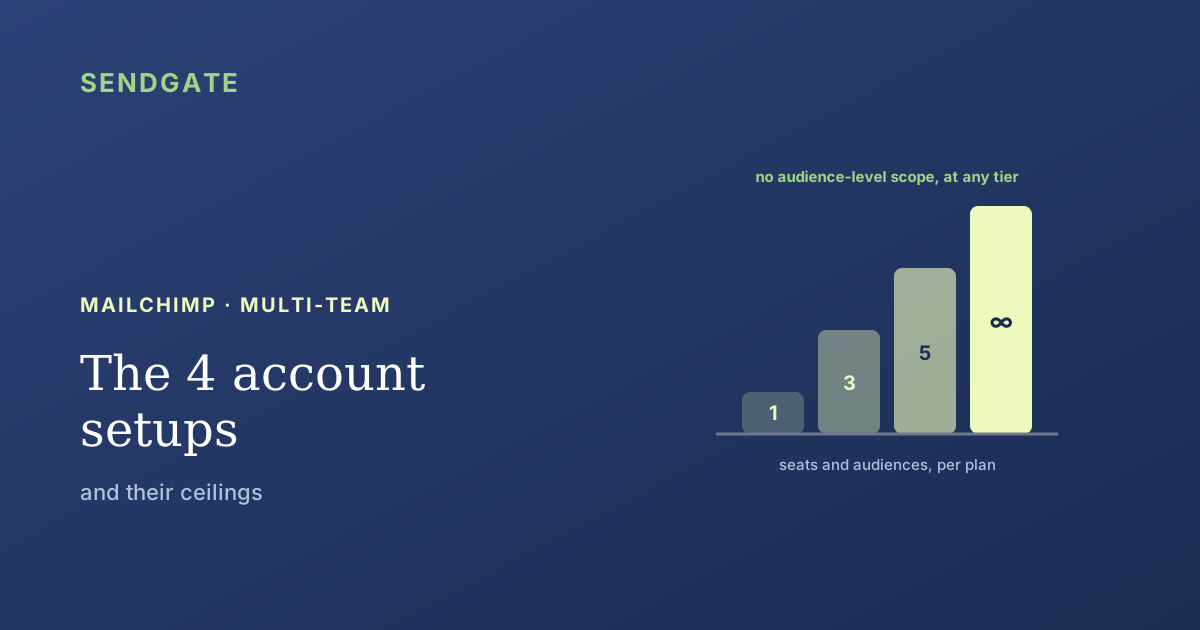
Four setups exist for running several teams on Mailchimp: one audience with tags, one audience per team, separate accounts, or an upgrade to Premium. Each hits a different ceiling, and two of those ceilings are printed in the pricing plans: Mailchimp caps both seats and audiences, at identical numbers. Here's which setup to pick, what each one costs, and the control none of them gives you.
The question in the meeting rarely sounds like "which Mailchimp setup should we use". It sounds like "how do we give the training team their own space". Both phrasings land in the same place, and the answer comes down to four possible configurations.
None of them is wrong on its own. Each simply hits a different ceiling, and the ceiling arrives sooner than people expect. Two of those limits are published numbers: Mailchimp caps user seats and audiences per plan. Let's start there, because it's the wall most organizations hit first.
Key takeaways
- Seats are capped by plan: 1 on Free, 3 on Essentials, 5 on Standard, unlimited on Premium (Mailchimp).
- Audiences carry exactly the same numbers, 1, 3, 5 then unlimited, which puts two separate ceilings on the same price tier.
- One account per team breaks the Acceptable Use Policy unless you are a franchise or an agency (Mailchimp).
- Premium lifts the quantities, not the scope: none of the five user levels restricts someone to a specific audience.
How many users does Mailchimp allow per team?
Mailchimp grants 1 seat on Free, 3 on Essentials, 5 on Standard and unlimited on Premium (Mailchimp, About Mailchimp pricing plans). The account Owner is included in that total. A six-team organization that wants one lead per team is therefore blocked at Standard, before permissions even enter the conversation.
Mailchimp puts it plainly in its own documentation: "All accounts have an Owner, and your pricing plan determines the number of additional user seats and levels available to you" (Mailchimp, Manage User Levels in Your Account). How many people you can add, and what kind of power they get, both depend on what you pay.
Here's the detail pricing comparisons skip: audiences are capped at the same numbers as seats. 1 audience on Free, 3 on Essentials, 5 on Standard, unlimited on Premium. So the "one team, one audience, one lead" setup hits both of its ceilings at the same moment.
User levels climb the same staircase. Free gives you the Owner only, Admin opens up on Essentials, Author and Viewer arrive on Standard, and Manager stays reserved for Premium (Mailchimp). For what each level actually permits, see our guide to Mailchimp roles and permissions.
The 4 setups multi-team organizations actually pick
Four configurations cover nearly every case. Since seats stop at 5 on Standard (Mailchimp, 2026), the choice usually comes down to paying more, splitting differently, or giving up on compartmentalization. Here are all four, with the wall each one runs into.
| Setup | What works | The ceiling it hits |
|---|---|---|
| A. One audience, tags per team | Clean billing, one send per contact, matches Mailchimp's own advice | Everyone sees everything: a tag is not an access boundary |
| B. One audience per team | Visual separation of lists, per-audience reporting | Contacts billed twice, duplicate sends, 3 or 5 audience cap |
| C. One Mailchimp account per team | Real isolation of data and sending | Outside the Acceptable Use Policy unless franchise or agency, no consolidated view |
| D. Upgrade to Premium | Unlimited seats and audiences, all five user levels | Still no way to restrict a user to an audience |
Mailchimp plans and features change; check its help center before committing to a setup.
The table holds an interesting asymmetry. Setups A and B play out inside one account and fail on access control. Setups C and D play out on the invoice or the contract, and still fail on access control. No cell in the right-hand column says "solved".
One audience per team: what it really costs
This is the most intuitive setup, and the one Mailchimp advises against. A contact stored in two audiences is billed twice, and combining audiences into one primary audience with tags can lower your monthly bill when duplicates exist (Mailchimp, Combine Audiences to a Primary Audience Using Tags).
The money isn't the worst part. Mailchimp states that the same campaign sent to audience A and audience B reaches contacts in both audiences twice, while several segments of a single audience are delivered only once (Mailchimp, My subscriber received multiple copies of my campaign). The split meant to organize teams manufactures duplicates instead.
Two teams, two audiences, the same contact in both: you pay for that person twice and you email them twice. Splitting by audience raises the bill and the sending pressure at once, while restricting nothing on the access side, because permissions stay account-wide.
Add that lists decay by at least 23% a year (ZeroBounce, The Email List Decay Report for 2026, 2026), and you maintain that same erosion separately inside every audience. The real frequency a contact experiences becomes impossible to settle, a point we cover in our article on frequency capping in Mailchimp.
Multiple Mailchimp accounts: allowed, but probably not for you
Mailchimp's Acceptable Use Policy prohibits "setting up multiple accounts for any person or entity to send similar content, unless you are part of a franchise or an agency" (Mailchimp, Acceptable Use Policy). A company that opens one account per department is therefore outside its own contract terms, however sound the organizational logic.
Networks, franchises and federations are explicitly covered by that exception. They can link several accounts to one login and switch between them from the profile menu, without sharing passwords (Mailchimp, Manage Multiple Accounts with One Login). The access convenience is real.
But that isolation is paid for in blindness. Mailchimp notes that linked accounts keep separate billing and account data, and nothing indicates audiences or reporting are shared between them. You get perfect compartmentalization and lose the whole picture: nobody can say how many emails one contact received in total.
Why Premium doesn't solve compartmentalization
Premium unlocks unlimited seats, unlimited audiences and all five user levels, Owner, Admin, Manager, Author and Viewer (Mailchimp, 2026). It's the plan that fixes every quantity problem. It doesn't fix the scope problem, and that distinction changes everything.
Mailchimp's user-level documentation describes permissions by feature: who can build a campaign, who can view reports, who can change billing (Mailchimp). No level says "this person only works on this audience". Permissions apply to the whole account.
The distinction deserves a precise word. A role is the list of what a user can do; a scope is the boundary of what they can reach. Mailchimp defines the first with its five levels and leaves the second wide open, at every tier.
In practice, an Author on the training team using Premium can open the sales team's audience and email it. Nothing in the product stops them. That's the gap we cover in detail in can you restrict a Mailchimp user to specific audiences?
What these ceilings cost everyone's deliverability
A badly chosen setup doesn't just create mess: it creates over-sending, and over-sending is paid for collectively. In 2026, 43% of people named excessive frequency as their top reason for unsubscribing, ahead of every other cause (ZeroBounce, Into the Inbox 2026, 2026).
The mechanism is mechanical. Two uncoordinated audiences produce duplicate sends, duplicates produce unsubscribes and complaints, and complaints hit domain reputation, which means every team's deliverability. Google degrades any bulk sender whose complaint rate reaches 0.30% and advises staying under 0.10% (Google, Email sender guidelines, 2024).
Cadence, meanwhile, is measurable. MailerLite analyzed 1.4 million campaigns and over 12 billion emails across 42,000 accounts. Twice-weekly sending produced the best click rate, 5.31%, and the lowest unsubscribe rate, 0.33% (MailerLite, Email Cadence & Frequency, 2026). In the same study, daily sending dropped opens to 30.04%, against 35.11% for senders writing less than once a month. Six teams each sending "reasonably" cross that threshold without anyone deciding to.
That's why picking a setup is a deliverability decision as much as an organizational one. We develop the point in our guide to sender reputation on a shared account.
How do you get past the ceilings without leaving Mailchimp?
You keep setup A and add what it lacks. Since 43% of unsubscribes come down to frequency (ZeroBounce, 2026), the goal is twofold: a scope per team and a cap per contact. None of the three steps below involves a migration.
Consolidate onto a single audience with tags
Follow Mailchimp's own advice. You remove the double billing, you guarantee one send per contact per campaign, and you stop burning your audience quota just to organize teams.
Assign an owner tag per team, and write it down
A tag restricts nothing, but it makes the gap visible. Document which team owns which tag and which sender, so manual review at least has a reference to compare against.
Add a layer that enforces scope and counts frequency
To stop a team from emailing what isn't theirs, and to stop a contact from exceeding a cap across all campaigns, you need a layer above the account. That's exactly the part Mailchimp doesn't cover at any tier.
The first two steps clean up the bill and the visibility. The third gives the team convention somewhere it gets checked, instead of leaving it to everyone's vigilance.
When we wired Mailchimp into our own governance layer, we ran into a direct consequence of this missing scope: Mailchimp has no IP allowlist of any kind. Access rests on the API key alone.
Compartmentalization therefore cannot be enforced on the Mailchimp side. It rests on access discipline: the administrator stays the sole holder of the key, and teams work through the layer. Anyone holding the key can still send straight from Mailchimp, and no third-party tool can stop them. That's a limit worth knowing before you promise your leadership airtight separation.
The audience-level compartmentalization Mailchimp has at no tier, Sendgate adds.
Sendgate sits on top of your existing Mailchimp account, with no migration and no plan change. Each team sees only the audiences assigned to it, each sender belongs to a group, and the frequency each contact receives is tracked across every campaign. You keep one account, one audience and one invoice, and you get the scope even Premium doesn't provide. Mailchimp is supported today.
Try it free →Email sending governance · Not affiliated with the brands mentioned
The takeaway
Mailchimp's four multi-team setups each run into a distinct ceiling. Seats stop at 1, 3, 5 or unlimited depending on the plan, and audiences carry exactly the same numbers. One audience per team means paying for and emailing the same contact twice. One account per team falls outside the Acceptable Use Policy unless you're a franchise or agency, and removes any consolidated view.
Premium lifts the quantities without lifting the scope: none of the five user levels restricts someone to an audience. The healthiest setup stays a single audience with tags, paired with a layer that enforces per-team access and counts frequency per contact. That's how you run several teams without multiplying accounts or invoices.
Frequently asked questions
How many users can you add to a Mailchimp account?
Can you create multiple Mailchimp accounts for your teams?
Should each team have its own Mailchimp audience?
Does Mailchimp Premium allow audience-level access control?
What happens when two teams email the same person?
Sources
- Mailchimp, About Mailchimp pricing plans, retrieved 2026-08-01. mailchimp.com
- Mailchimp, Manage User Levels in Your Account, retrieved 2026-08-01. mailchimp.com
- Mailchimp, Acceptable Use Policy, retrieved 2026-08-01. mailchimp.com
- Mailchimp, Manage Multiple Accounts with One Login, retrieved 2026-08-01. mailchimp.com
- Mailchimp, Combine Audiences to a Primary Audience Using Tags, retrieved 2026-08-01. mailchimp.com
- Mailchimp, My subscriber received multiple copies of my campaign, retrieved 2026-08-01. mailchimp.com
- ZeroBounce, Into the Inbox: Email Marketing Statistics for 2026, retrieved 2026-08-01. zerobounce.net
- ZeroBounce, The Email List Decay Report for 2026, retrieved 2026-08-01. zerobounce.net
- Google, Email sender guidelines, retrieved 2026-08-01. support.google.com
- MailerLite, Email Cadence & Frequency: Data-Backed Strategy for 2026, retrieved 2026-08-01. mailerlite.com
Jean Rubens
Co-founder, Sendgate
Jean is a co-founder of Sendgate. He writes about multi-team email governance: send visibility, list compartmentalization and deliverability across shared sending accounts.