Does Mailchimp have sub-accounts? No, and here's the Mandrill mix-up
 Jean RubensUpdated September 20269 min read
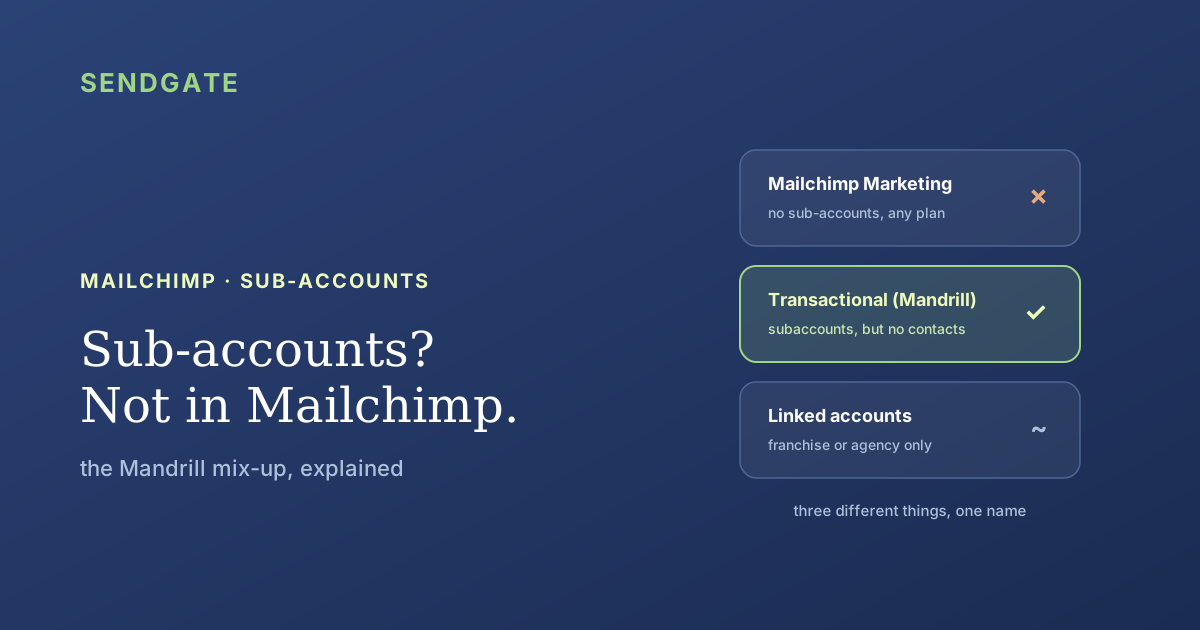
No. The Mailchimp Marketing platform has no sub-accounts, on any plan. The feature exists in a different product: Mailchimp Transactional, the service formerly called Mandrill, where subaccounts split quotas and sender reputation but can't store a single contact. Three separate things get called a sub-account here. Here's what each one does, and which one answers your need.
You run three brands, or six regional teams, and you'd like each one to have its own space inside Mailchimp. So you search for sub-accounts. The first results are Mailchimp's own developer docs, titled "Subaccounts", describing more or less exactly what you had in mind.
Then you open your account and find nothing of the sort. That isn't a plan restriction, and you haven't missed a button. The page you found belongs to another product. Let's separate the three things that share the name.
Key takeaways
- Mailchimp Marketing has no sub-accounts. Every user gets one of five account-wide roles: Owner, Admin, Manager, Author or Viewer (Mailchimp).
- Subaccounts exist only in Mailchimp Transactional (Mandrill), to "manage reputation, activity, reports, and quotas across different senders" (Mailchimp Developer).
- They can't hold your lists: "contact lists and other recipient information can't be stored in Mailchimp Transactional" (Mailchimp).
- Several accounts is the official route, and the Acceptable Use Policy reserves it to franchises and agencies (Mailchimp, September 2025).
Does Mailchimp have sub-accounts?
No. As of September 2026, the Mailchimp Marketing platform offers no sub-account, on any plan from Free to Premium. Everyone you invite receives one of five roles that apply to the entire account: Owner, Admin, Manager, Author or Viewer (Mailchimp, Manage user levels in your account). There is no level below the account.
A sub-account, in the sense other sending tools give the word, is an account inside the account: its own contact database, its own users, its own reports, one central bill. Mailchimp's model stops one floor higher. One account holds the audiences, the users and the billing, and whatever a user can do, they can do across all of it.
That's why the permission question keeps coming back in a different costume. A Manager can import and send to every audience in the account. A Viewer sees every report. Nothing scopes a person to one audience, which is the whole subject of restricting a Mailchimp user to specific audiences.
Where does the Mandrill confusion come from?
From a page that says exactly what you were hoping to read. Mailchimp Transactional, the service formerly known as Mandrill, lets you "use subaccounts to manage reputation, activity, reports, and quotas across different senders under a single Mailchimp Transactional account" (Mailchimp Developer, Subaccounts). That's real compartmentalization, and it works well.
What does a Transactional subaccount actually carry? Its own hourly quota, which you can set below the main account's, so one sender can be capped at 10 emails an hour while another gets 100. And its own rejection denylist: when a message bounces or a recipient reports it as spam, that address is blocked for that subaccount only, and the others can still reach the person (Mailchimp Developer, 2026).
Read that as a SaaS platform and it's the right tool. One subaccount per customer, one reputation per customer, and a noisy tenant can't drag down the rest. Read it as a marketing team and it looks like the answer to a question it was never asked.
People arrive in these conversations with that documentation page open, sure that the feature is there and only the button is missing. The tell is in the vocabulary: the page talks about senders, quotas, API keys and denylists. It never mentions audiences, campaigns, segments or unsubscribes. Two different products, two different words for who receives an email.
Why can't Mandrill subaccounts separate your campaigns?
Because they hold no contacts at all. Mailchimp writes that "contact lists and other recipient information can't be stored in Mailchimp Transactional", and that this data belongs "in your own database or application" (Mailchimp, About transactional email). A subaccount routes messages. It stores no audience, so it can't compartmentalize one.
The second reason is what you'd be sending. Mailchimp defines a transactional email as going "from one sender to one recipient, usually related to account activity or a commercial transaction", with no opt-in required and no unsubscribe link. A marketing email goes to many recipients, requires opt-in and must carry an unsubscribe link (Mailchimp, 2026). Your newsletter fails all three tests.
The third reason is the bill. Mailchimp Transactional is a paid add-on available with the Standard plan or higher, sold in blocks of 25,000 emails purchased automatically at the start of each billing cycle (Mailchimp, Add or remove transactional email). You'd be buying a second product to get a separation it can't give you.
Pushing marketing campaigns down the transactional pipe means sending opt-in email through a channel designed for receipts and password resets, with your contacts living outside Mailchimp, in a database you maintain. You'd lose the audiences, the segments and the unsubscribe handling, which are the reasons to be on the Marketing platform in the first place.
What does Mailchimp give you instead?
Two mechanisms, and neither is a sub-account. The five account-wide roles, and the option to run several separate accounts under one login, which lets you sign in "with one username and password while keeping billing and account data separate for each account" (Mailchimp, 2026). You can link as many accounts as you need.
The second one carries a condition most people never read. Mailchimp's Acceptable Use Policy lists, among prohibited uses, setting up "multiple accounts for any person or entity in order to send similar content, unless you're part of a franchise or agency" (Mailchimp, Acceptable Use Policy, updated 26 September 2025). One company with several internal teams isn't covered by that exception.
Where it does apply, it fragments everything. Each account is an independent database, so the same person stored in two accounts is paid for twice, the same way the same contact in two audiences is billed twice. No screen shows you how often a contact has been emailed across the whole set, and linking accounts needs Admin-level access, so a paid Marketing or Pay As You Go plan.
| What you want | Transactional subaccounts | Several linked accounts | Native roles | Governance layer |
|---|---|---|---|---|
| Holds your marketing contacts | ✗ | ✓ | ✓ | ✓ |
| Separate billing per entity | ✗ | ✓ | ✗ | ✗ |
| Scope a user to given lists | ✗ | ~ | ✗ | ✓ |
| Frequency visible across teams | ✗ | ✗ | ✗ | ✓ |
| Open to any organization | ✓ | ✗ | ✓ | ✓ |
| What it costs you | Standard plan, plus blocks of 25,000 | One plan per account | Included | A layer on one account |
✓ yes · ~ partial · ✗ no. Compared against Mailchimp's documented model, September 2026. "Several linked accounts" scores partial on scoping because each account is separate, while everyone inside one still sees all of it.
And Mailchimp & Co?
It's the third thing mistaken for sub-accounts, and it's an agency program. Once you've joined Mailchimp & Co, you can request access to a client's account and switch between clients without sharing login details, provided the client's Owner or Admin enables it. The documentation is explicit on one point: "you cannot assign a role higher than your own" (Mailchimp, Connect your clients' accounts).
That's account switching, not compartmentalization. Each client account stays a separate account, with its own bill and its own contacts, and inside any one of them the same five account-wide roles apply. The agency gains a door, not a permission model. If your teams are in-house, this route isn't open to you at all.
If you really need to compartmentalize
Start from what has to be separated: the data, the access, or just the naming. Only the first case argues for several accounts, and only if the franchise or agency exception covers you. The other two are solved on a single account, which is also the cheaper arrangement, since Mailchimp bills per contact and duplicates cost real money.
Legally distinct entities
They share no contacts and no billing. Several accounts under one login make sense, if you're a franchise or an agency. Accept what comes with it: separate databases, separate invoices, no shared view of frequency.
Teams sharing one base
One audience keeps the bill honest, and a governance layer above the account gives each team its own lists, its own senders and an approval step before a campaign goes out. Nothing moves inside Mailchimp.
Simple tidying up
Tags and groups, which is Mailchimp's own recommendation. Enough when nobody actually needs to be prevented from doing anything. A tag organizes; it forbids nothing.
Mailchimp has no IP lock, unlike some other sending tools. Whoever holds the API key can send outside any layer you place on top, so compartmentalization on Mailchimp rests on the admin keeping that key. Any vendor promising you a sealed boundary on a Mailchimp account, us included, would be overselling. What a layer above gives you is a working scope per team and a record of who sent what.
If you're weighing this against another tool, the shape of the gap differs by vendor. Several ESPs do ship sub-accounts, and usually keep them for their top tier, so the question there is what it costs. On Mailchimp it isn't a pricing question at all. The feature simply isn't part of the Marketing platform, at any price, which is why no upgrade path leads to it.
The separation you wanted, on the account you already have.
Sendgate sits on top of your existing Mailchimp account, with no migration. Each team sees only the audiences assigned to it, sends from its own senders, and campaigns go through an approval step before they leave. The frequency each contact receives is tracked across every team. Mailchimp is supported today.
Try it free →Email sending governance · Not affiliated with the brands mentioned
The takeaway
Mailchimp Marketing has no sub-accounts, and no plan unlocks them. The documentation you found belongs to Mailchimp Transactional, formerly Mandrill, where subaccounts separate quotas, denylists and sender reputation, but where no contact list can be stored. It separates sending, not audiences.
What Mailchimp offers instead is five account-wide roles and several accounts on one login, a route its own policy reserves to franchises and agencies, and one that fragments billing and counts shared contacts twice. If your teams share one base, the separation has to come from a layer above the account, not from a second account.
Frequently asked questions
Does Mailchimp have sub-accounts?
What are Mandrill subaccounts then?
Can Mandrill subaccounts separate my marketing teams?
Am I allowed to open several Mailchimp accounts?
How do you separate teams on one Mailchimp account?
Sources
- Mailchimp Developer, Subaccounts (Transactional documentation), retrieved 2026-09-19. mailchimp.com
- Mailchimp Developer, Manage Different Users with Subaccounts, retrieved 2026-09-19. mailchimp.com
- Mailchimp, About Transactional Email, retrieved 2026-09-19. mailchimp.com
- Mailchimp, Add or Remove Transactional Email, retrieved 2026-09-19. mailchimp.com
- Mailchimp, Manage User Levels in Your Account, retrieved 2026-09-19. mailchimp.com
- Mailchimp, Manage Multiple Accounts with One Login, retrieved 2026-09-19. mailchimp.com
- Mailchimp, Acceptable Use Policy (updated 26 September 2025), retrieved 2026-09-19. mailchimp.com
- Mailchimp, Connect Your Clients' Accounts, retrieved 2026-09-19. mailchimp.com
Checked against Mailchimp documentation on 19 September 2026. Mailchimp renames features regularly; the Marketing and Transactional split is the part that has stayed stable since Mandrill was folded in. No price in currency is quoted here, since the pricing pages show promotional rates that change.
Jean Rubens
Co-founder, Sendgate
Jean is a co-founder of Sendgate. He writes about multi-team email governance: send visibility, list compartmentalization and deliverability across shared sending accounts.